
NEWS
SCADA Demo: Testing ATSCADA Before Deployment
A scada demo allows businesses to explore real-time monitoring, control systems, and industrial data management before making a full investment. Instead of relying on theory, this hands-on approach helps engineers and decision-makers evaluate performance, compatibility, and usability in real-world scenarios. In this guide, you will learn how a scada demo works, its key benefits, and how ATSCADA can support your digital transformation journey.
What Is a SCADA Demo?
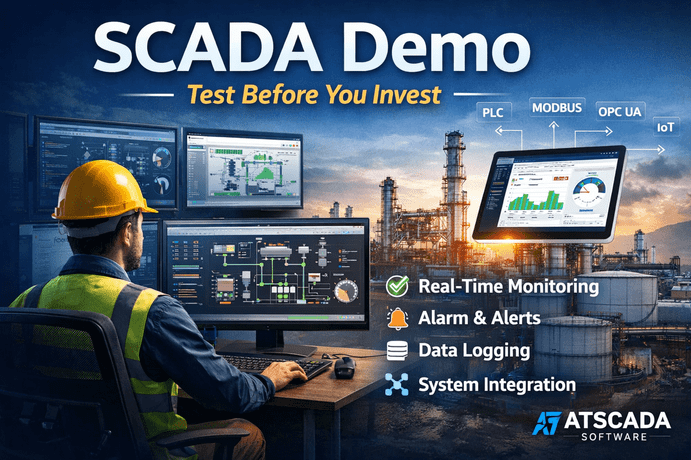
To get started, you can download ATSCADA to implement demo projects for any scale—from small and medium to large industrial systems. This trial version enables users to explore its core functionalities in a controlled environment. Instead of relying on documentation, businesses can directly interact with the system to understand how it performs in real-world scenarios.
Currently, ATSCADA supports a Free SCADA License for up to 256 tags. This is an ideal opportunity for system integrators to directly experience, evaluate, and familiarize themselves with all features before committing to higher-level official license keys
This is particularly important for industries that depend on automation, data accuracy, and continuous monitoring.
Why You Should Use a SCADA Demo
Using a scada demo before deployment offers several key advantages:
- It reduces financial risk by allowing early testing
- It ensures compatibility with existing PLCs and systems
- It provides hands-on experience for engineers and operators
- It improves decision-making based on actual performance
Beyond industrial applications, this demo version is perfectly suited for training in technical universities and vocational schools, helping students gain hands-on experience with real-world SCADA technology
Key Features Available in ATSCADA SCADA Demo
Real-Time Monitoring and Visualization
ATSCADA provides live dashboards that display system performance, helping operators monitor processes and react instantly to changes.
Alarm and Event Management
The system includes intelligent alerts that notify users when anomalies occur, improving safety and operational control.
Historical Data Logging
The platform stores operational data for analysis, enabling businesses to optimize performance and identify trends.
Flexible Integration
The scada demo supports multiple communication protocols such as Modbus and OPC, allowing seamless connectivity with PLCs and industrial devices.
How to Evaluate a SCADA Demo Effectively
To get the most value from a scada demo, follow a structured approach:
- Define clear goals: focus on performance, usability, or integration
- Test real scenarios: use real or simulated data for accurate results
- Involve your team: engineers and operators provide practical feedback
- Measure performance: evaluate speed, stability, and ease of use
This process ensures your evaluation is reliable and actionable.
Benefits of Choosing ATSCADA
User-Friendly Design
ATSCADA offers an intuitive interface, reducing the learning curve for new users while maintaining advanced functionality for experts.
Scalable Architecture
The system can adapt to both small-scale operations and large industrial environments, making it a flexible solution.
Reliable and Stable Operation
Consistent performance ensures uninterrupted monitoring and control, which is critical in industrial settings.
Common Mistakes to Avoid When Using a SCADA Demo
Testing Without Clear Objectives
Without defined goals, it becomes difficult to measure success or compare solutions effectively.
Ignoring Integration Requirements
Failing to test compatibility with existing systems can lead to major issues during implementation.
Overlooking User Experience
A system may be powerful but difficult to use. Always consider feedback from actual operators.
How to Choose the Right SCADA Demo
Compare Multiple Solutions
Testing more than one scada demo helps identify the best option based on your specific needs.
Evaluate Long-Term Scalability
Ensure the software can grow with your business and handle increasing data loads.
Check Vendor Support
Reliable technical support is crucial for successful deployment and long-term operation.
With the support of 256 free tags, ATSCADA is committed to accompanying technical units and educational institutions in accessing modern automation solutions without any initial cost barriers.
Conclusion
A scada demo is not just a trial—it is a critical step in selecting the right industrial automation solution. By testing ATSCADA before deployment, businesses can reduce risks, improve efficiency, and ensure the system aligns with their operational goals.
ATSCADA - Providing ATSCADA software - The monitoring and data acquisition control system is the appropriate choice for integrated system projects, IoT, smart city projects, agriculture 4.0... Is trusted by many customers.
Related posts
Free SCADA Software – Industrial Monitoring with ATSCADA
In the age of Industry 4.0, businesses are under increasing pressure to digitize operations while [...]
Apr
SCADA and IoT : Modern Industry 4.0
Industry 4.0 is creating a major transformation in the way businesses operate and manufacture. The [...]
Apr
ATSCADA – The Best SCADA Software Download for Industrial Automation
If you are searching for a reliable SCADA software download, ATSCADA is a powerful solution [...]
Apr
Power SCADA System
Is it promising to apply a Power SCADA system in the power industry? The advantages [...]
Apr
ALL ABOUT SCADA SYSTEM
The SCADA system is the combination of hardware devices and software that allows monitoring and [...]
Oct
HOW TO USE SYMBOL FACTORY IN SCADA SOFTWARE
Using Symbol Factory in SCADA software is an outstanding solution for designing HMI or SCADA professionally. Let’s find [...]
Oct