
SCADA Software
SCADA Support Tools for ATSCADA Development and Integration
In modern industrial automation, engineers rely on a wide range of tools to develop, test, and deploy reliable systems. SCADA Support Tools play a critical role in ensuring smooth communication, efficient debugging, and high-performance system integration. This article introduces essential support tools used in ATSCADA environments to enhance development workflows and optimize industrial applications.
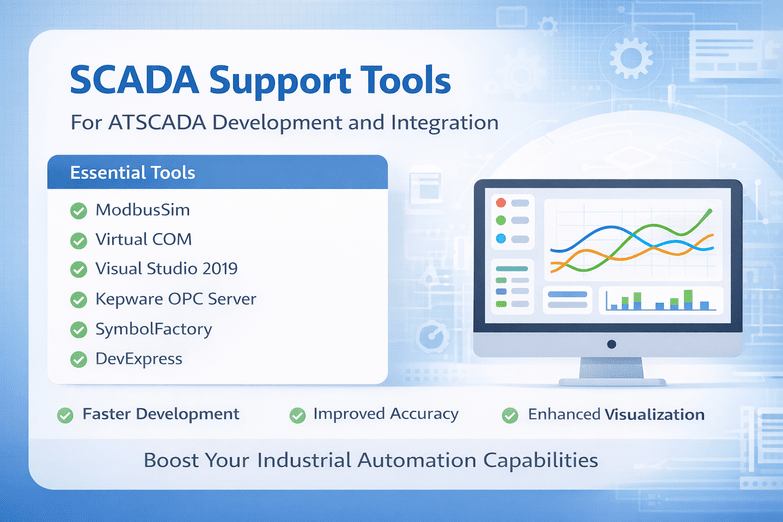
SCADA Support Tools – ATSCADA Ecosystem
Below are the key SCADA Support Tools commonly used in ATSCADA projects:
1. ModbusSim
ModbusSim is a simulation tool that allows engineers to test Modbus communication without requiring physical hardware. It is highly useful during development and troubleshooting phases.
Key benefits:
- Simulates Modbus devices
- Reduces hardware dependency
- Speeds up testing and debugging
2. Virtual COM
Virtual COM enables the creation of virtual serial ports, allowing software applications to communicate as if they were connected via physical COM ports.
Key benefits:
- Simplifies serial communication testing
- Enables flexible system configuration
- Supports legacy and modern systems
3. Visual Studio 2019
Visual Studio 2019 is a powerful development environment used for building SCADA-related applications, drivers, and custom integrations, including configuring data structures with SCADA Tag Builder
Key benefits:
- Advanced debugging tools
- Supports multiple programming languages
- Ideal for developing custom SCADA solutions
4. Inkscape (Vector-Based Drawing Software)
Inkscape is used to design graphical elements for SCADA interfaces, including dashboards, icons, and system layouts.
Key benefits:
- High-quality vector graphics
- Custom SCADA UI design
- Free and open-source
5. Kepware OPC Server
Kepware OPC Server is a widely used communication platform that enables seamless connectivity between SCADA systems and industrial devices.
Key benefits:
- Supports multiple industrial protocols
- Reliable data exchange
- Easy integration with SCADA systems
6. DevExpress
DevExpress provides UI components and tools for building modern, responsive SCADA applications with enhanced user experience.
Key benefits:
- Rich UI controls
- Improves application performance
- Accelerates development time
7. SymbolFactory
SymbolFactory offers a library of industrial symbols used in SCADA visualization, helping engineers create intuitive and professional interfaces.
Key benefits:
- Pre-built industrial symbols
- Enhances visualization quality
- Saves design time
Benefits of Using SCADA Support Tools
Implementing the right SCADA Support Tools provides significant advantages:
- Faster Development: Reduce time required to build and deploy systems
- Improved Accuracy: Minimize errors during testing and integration
- Enhanced Visualization: Create user-friendly SCADA interfaces
- Better System Reliability: Ensure stable communication and operation
Real-World Applications
These SCADA Support Tools are widely used in various industries, including:
- Manufacturing automation
- Energy and power monitoring
- Smart city infrastructure
- Water and wastewater management
By leveraging these tools, engineers can support SCADA project development and build scalable, efficient systems tailored to specific industrial needs.
Conclusion
SCADA Support Tools are essential for developing, testing, and maintaining modern industrial automation systems. From communication simulation to UI design and data integration, these tools provide the foundation for building reliable and high-performance SCADA solutions.
If you are working with ATSCADA or similar platforms, integrating the right support tools will significantly enhance your system’s efficiency, flexibility, and long-term scalability.

ATSCADA - Smart SCADA Software with AI Predictor & Blockchain. ATSCADA is an advanced SCADA software platform for real-time monitoring, intelligent control, and efficient data acquisition. It is ideal for Industrial IoT (IIoT), smart cities, integrated automation systems, and Agriculture 4.0. With a built-in AI Predictor, ATSCADA enables predictive analytics to detect issues early, optimize performance, and reduce downtime. The integration of Blockchain technology ensures secure, transparent, and tamper-proof data management. Highly scalable and easy to integrate, ATSCADA is trusted by businesses to enhance productivity, strengthen cybersecurity, and accelerate digital transformation.
Bài viết liên quan
Contact Us
Looking for support, consultation, or more information about the ATSCADA Platform? ATSCADA Lab is ready [...]
Apr
What’s New in ATSCADA Software V5.0.0.1?
1. ATDriver Server V5.0.0.1 Within ATSCADA Software, the data acquisition module has been significantly enhanced [...]
Apr
SCADA Architecture: Complete Guide to Modern Industrial Systems with ATSCADA Software
Introduction In modern industrial environments, efficiency, reliability, and data-driven decision-making are no longer optional—they are [...]
Apr
SCADA Demo: Testing ATSCADA Before Deployment
A scada demo allows businesses to explore real-time monitoring, control systems, and industrial data management [...]
Apr
Free SCADA Software – Industrial Monitoring with ATSCADA
In the age of Industry 4.0, businesses are under increasing pressure to digitize operations while [...]
Apr
ATSCADA – The Best SCADA Software Download for Industrial Automation
If you are searching for a reliable SCADA software download, ATSCADA is a powerful solution [...]
Apr