
SCADA Software
Software Versions News – Ver 2 Update 14
In industrial automation systems, keeping software up to date is essential to ensure stability, performance, and reliable data processing. This Software Versions News update highlights important improvements in Version 2 Update 14, focusing on bug fixes and enhanced data handling for better system efficiency.
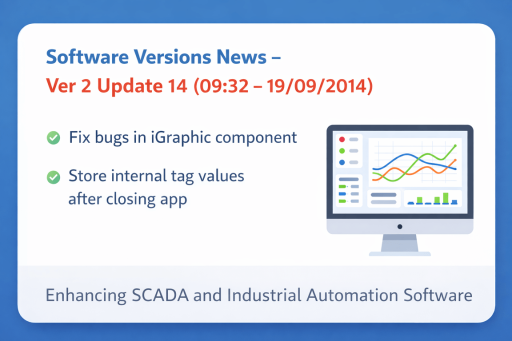
Software Versions News – Update Overview
The Software Versions Ver 2 Update 14 (09:32 – 19/09/2014) introduces key enhancements designed to improve system reliability and user experience. This update is particularly important for users working with SCADA platforms and industrial monitoring systems.
Key Improvements
-
Bug Fix in iGraphic Component
One of the most notable changes in this Software Versions News update is the fix applied to the iGraphic component. This improvement helps:
- Eliminate display-related errors
- Enhance visualization accuracy
- Improve overall interface responsiveness
As a result, operators can monitor systems more effectively without disruptions caused by graphical glitches.
-
Internal Tag Value Storage Enhancement
Another important upgrade is the improved handling of internal tag values. Previously, data could be lost when the application was closed. With this update:
- Internal tag values configured using the SCADA Tag Builder are automatically saved when the application shuts down
- Values are restored upon the next system startup
- Manual reconfiguration is minimized
This ensures continuity in monitoring processes and reduces the risk of data inconsistency.
Benefits of This Update
This Software Versions News update delivers practical benefits for SCADA and industrial environments:
- Improved System Stability: Reduced bugs and smoother operation with the help of advanced SCADA support tools
- Data Reliability: Persistent storage of internal values ensures accuracy
- Operational Efficiency: Less manual setup after system restarts
- Enhanced User Experience: More responsive and stable graphical interface
These benefits are particularly important in industries where real-time monitoring and control are essential, such as manufacturing, energy management, and smart infrastructure.
Application in Industrial Systems
This update is especially beneficial for SCADA and IoT-based systems where continuous data tracking is critical. By preserving internal tag values, operators maintain consistent monitoring without data loss after system restarts.
Contact and Support
Contact ATSCADA Lab for quick and professional support if you need more details about this Software Versions News.
Conclusion
The Software Versions Ver 2 Update 14 is a small but impactful update that enhances both system reliability and data handling. Scada updated with the latest Software Versions News ensures your automation system operates smoothly, efficiently, and without interruptions.

ATSCADA - Smart SCADA Software with AI Predictor & Blockchain. ATSCADA is an advanced SCADA software platform for real-time monitoring, intelligent control, and efficient data acquisition. It is ideal for Industrial IoT (IIoT), smart cities, integrated automation systems, and Agriculture 4.0. With a built-in AI Predictor, ATSCADA enables predictive analytics to detect issues early, optimize performance, and reduce downtime. The integration of Blockchain technology ensures secure, transparent, and tamper-proof data management. Highly scalable and easy to integrate, ATSCADA is trusted by businesses to enhance productivity, strengthen cybersecurity, and accelerate digital transformation.
Related articles
ATSCADA iStreamCameraTools – Industrial IP Camera Integration and Real-Time Video Monitoring
The iStreamCameraTools toolkit enables the connection of ONVIF-compatible cameras to receive camera streams and display [...]
Jun
OPC Server Connection Guide
Overview The ATSCADA ecosystem provides exceptional flexibility for integrating data from third-party OPC Servers (such [...]
Jun
Common ATSCADA Errors and How to Fix Them – FAQ for ATSCADA Tools and Systems
Issues Related to ATDriverServer & iTagBuilder Software Why Does ATDriverServer Not Open? There are two [...]
May
ATSCADA Hospital Temperature and Humidity Monitoring Alarm System Project
Requirements: The system includes three monitoring areas: the pharmacy, inpatient warehouse, and cold storage, following [...]
May
ATSCADA CookBook: Complete Guide to System Architecture, Tools, Installation & Troubleshooting
The ATSCADA Training book is an essential navigation structure that helps users access all major [...]
Apr
ATSCADA Power Management System
Requirements: There are 3 areas that require power management, including a factory, a residential zone, [...]
Apr