
SCADA Software
SCADA Support Tools for ATSCADA Development and Integration
In modern industrial automation, engineers rely on a wide range of tools to develop, test, and deploy reliable systems. SCADA Support Tools play a critical role in ensuring smooth communication, efficient debugging, and high-performance system integration. This article introduces essential support tools used in ATSCADA environments to enhance development workflows and optimize industrial applications.
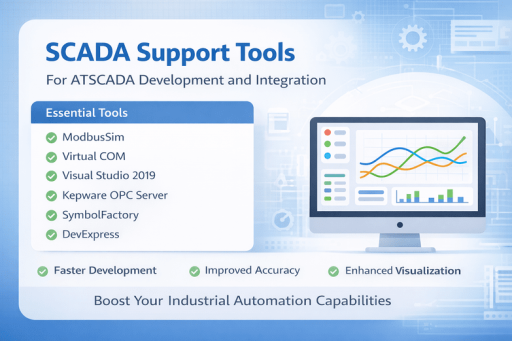
SCADA Support Tools – ATSCADA Ecosystem
Below are the key SCADA Support Tools commonly used in ATSCADA projects:
1. ModbusSim
ModbusSim is a simulation tool that allows engineers to test Modbus communication without requiring physical hardware. It is highly useful during development and troubleshooting phases.
Key benefits:
- Simulates Modbus devices
- Reduces hardware dependency
- Speeds up testing and debugging
2. Virtual COM
Virtual COM enables the creation of virtual serial ports, allowing software applications to communicate as if they were connected via physical COM ports.
Key benefits:
- Simplifies serial communication testing
- Enables flexible system configuration
- Supports legacy and modern systems
3. Visual Studio 2019
Visual Studio 2019 is a powerful development environment used for building SCADA-related applications, drivers, and custom integrations, including configuring data structures with SCADA Tag Builder
Key benefits:
- Advanced debugging tools
- Supports multiple programming languages
- Ideal for developing custom SCADA solutions
4. Inkscape (Vector-Based Drawing Software)
Inkscape is used to design graphical elements for SCADA interfaces, including dashboards, icons, and system layouts.
Key benefits:
- High-quality vector graphics
- Custom SCADA UI design
- Free and open-source
5. Kepware OPC Server
Kepware OPC Server is a widely used communication platform that enables seamless connectivity between SCADA systems and industrial devices.
Key benefits:
- Supports multiple industrial protocols
- Reliable data exchange
- Easy integration with SCADA systems
6. DevExpress
DevExpress provides UI components and tools for building modern, responsive SCADA applications with enhanced user experience.
Key benefits:
- Rich UI controls
- Improves application performance
- Accelerates development time
7. SymbolFactory
SymbolFactory offers a library of industrial symbols used in SCADA visualization, helping engineers create intuitive and professional interfaces.
Key benefits:
- Pre-built industrial symbols
- Enhances visualization quality
- Saves design time
Benefits of Using SCADA Support Tools
Implementing the right SCADA Support Tools provides significant advantages:
- Faster Development: Reduce time required to build and deploy systems
- Improved Accuracy: Minimize errors during testing and integration
- Enhanced Visualization: Create user-friendly SCADA interfaces
- Better System Reliability: Ensure stable communication and operation
Real-World Applications
These SCADA Support Tools are widely used in various industries, including:
- Manufacturing automation
- Energy and power monitoring
- Smart city infrastructure
- Water and wastewater management
By leveraging these tools, engineers can support SCADA project development and build scalable, efficient systems tailored to specific industrial needs.
Conclusion
SCADA Support Tools are essential for developing, testing, and maintaining modern industrial automation systems. From communication simulation to UI design and data integration, these tools provide the foundation for building reliable and high-performance SCADA solutions.
If you are working with ATSCADA or similar platforms, integrating the right support tools will significantly enhance your system’s efficiency, flexibility, and long-term scalability.

ATSCADA - Smart SCADA Software with AI Predictor & Blockchain. ATSCADA is an advanced SCADA software platform for real-time monitoring, intelligent control, and efficient data acquisition. It is ideal for Industrial IoT (IIoT), smart cities, integrated automation systems, and Agriculture 4.0. With a built-in AI Predictor, ATSCADA enables predictive analytics to detect issues early, optimize performance, and reduce downtime. The integration of Blockchain technology ensures secure, transparent, and tamper-proof data management. Highly scalable and easy to integrate, ATSCADA is trusted by businesses to enhance productivity, strengthen cybersecurity, and accelerate digital transformation.
Related articles
ATSCADA iStreamCameraTools – Industrial IP Camera Integration and Real-Time Video Monitoring
The iStreamCameraTools toolkit enables the connection of ONVIF-compatible cameras to receive camera streams and display [...]
Jun
OPC Server Connection Guide
Overview The ATSCADA ecosystem provides exceptional flexibility for integrating data from third-party OPC Servers (such [...]
Jun
Common ATSCADA Errors and How to Fix Them – FAQ for ATSCADA Tools and Systems
Issues Related to ATDriverServer & iTagBuilder Software Why Does ATDriverServer Not Open? There are two [...]
May
ATSCADA Hospital Temperature and Humidity Monitoring Alarm System Project
Requirements: The system includes three monitoring areas: the pharmacy, inpatient warehouse, and cold storage, following [...]
May
ATSCADA CookBook: Complete Guide to System Architecture, Tools, Installation & Troubleshooting
The ATSCADA Training book is an essential navigation structure that helps users access all major [...]
Apr
ATSCADA Power Management System
Requirements: There are 3 areas that require power management, including a factory, a residential zone, [...]
Apr