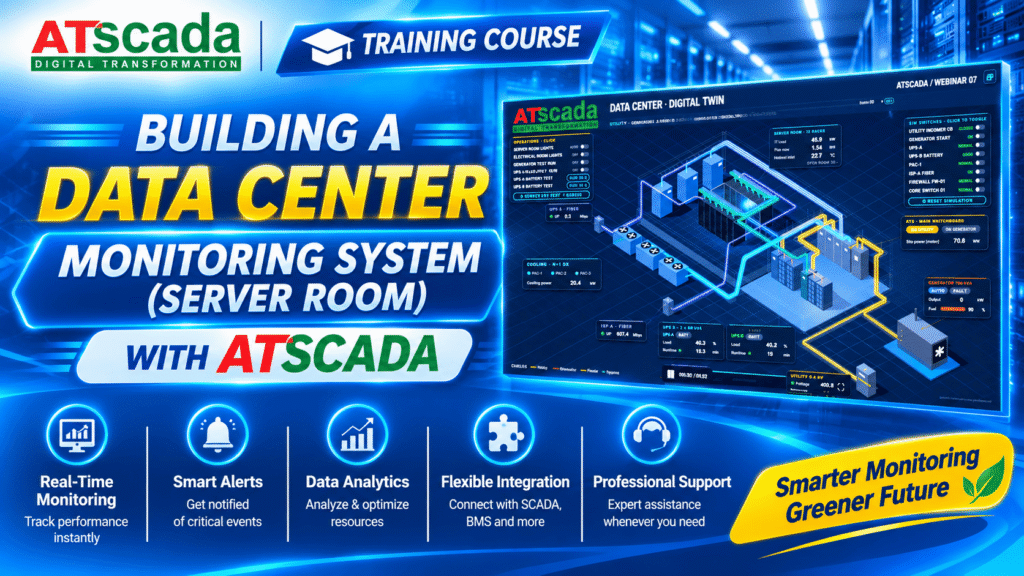
Training Course on Building a SERVER ROOM (DATA CENTER) Monitoring System with ATSCADA

This training course helps students, technicians, and engineers in the field of electrical engineering and automation to enhance their knowledge and gain experience. Duration: 1 Session – Learning Format: Online via Google Meet

We are giving away high-quality and multi-disciplinary ATSCADA training materials to our students.

sign up now

Why should you take the SCADA course at ATSCADA?

SERVER ROOM (DATA CENTER) Monitoring System

ABOUT US

ATSCADA helps businesses grow further through comprehensive automation solutions.

ATSCADA Lab, a subsidiary of ATPro Corp, was formed and developed from the ATSCADA platform established in 2009, marking the beginning of our journey to build “Made in Vietnam” SCADA solutions. With a shared aspiration and long-term vision, we continuously research, develop, and refine core technology platforms, aiming to build a SCADA  software “empire”  with a distinct Vietnamese identity, capable of competing in regional and international markets.

Who should participate in the ATSCADA training course?

Many engineers struggle with SCADA systems because they rely solely on: Online tutorials that don’t require actual equipment –  ​​Disjointed documentation –  Outdated training methods

What was the result?  Slow progress, poor practical skills, and limited career advancement opportunities. ATSCADA has completely changed this.

Course Content: BUILDING A SERVER ROOM (DATA CENTER) MONITORING SYSTEM WITH ATSCADA

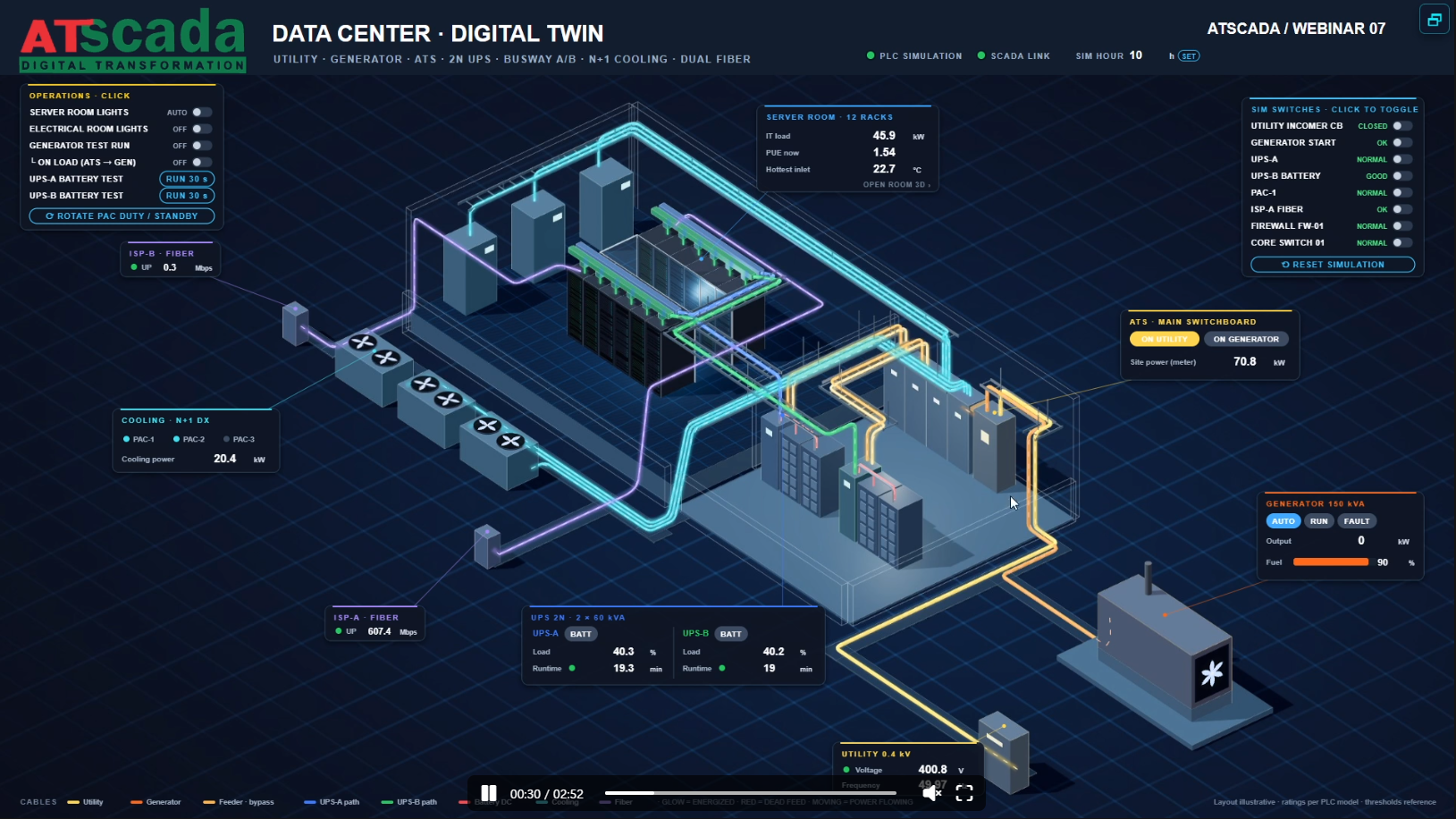
Monitor the power, cooling, network, and energy efficiency of your server room on a 3D model, and troubleshoot problems directly on the web.

How much electricity is the server room using, how much for servers, and how much for cooling? When the mains power goes out, how long can the UPS handle the load, and will the generator be able to come on in time? If an air conditioner fails, which rack will get hot first? If a fiber optic cable is cut, will the service be interrupted? This webinar will guide you through building a complete server room monitoring demo with 12 racks, 3 N+1 redundant air conditioners, 2 UPS units configured in 2N, a generator and ATS, environmental sensors, and a dual-network system, with data seamlessly flowing from a Siemens S7-1200 PLC to an ATDriverServer, using Windows Forms and a web interface.

Phase 1: PLC Programming & Data Connection Creating the data platform for the entire server room.

  • Logical simulation:  SCL programming on Siemens S7-1200 simulates a power supply chain (grid, generator, ATS, main switchgear, 2 UPS and batteries, dual A/B power supply to each rack), 3 air conditioners with compressors having restart delays, rack temperatures, environment, and network. The devices interact with each other in a chain reaction as in real life.
  • S7 Ethernet connection:  Configure ATDriverServer to read and write PLC data via the S7EthernetClient driver, organizing over 500 tags into data blocks and internal memory channels for calculation results.
  • Safety control command:  Pulse command design, heartbeat signal monitoring connection between SCADA and PLC, power counter and running time are retained when PLC loses power.
 

Phase 2: Building a 3D SCADA interface on the Web. View the entire data center as a living digital model.

  • 3D model created using Fastweb Designer:  The entire complex page includes the server room, power and UPS room, generator yard, condenser unit, two fiber optic cable lines, along with a detailed server room page, with data attached using Fastweb’s pre-made items.
  • The electrical current follows the true state:  Each cable lights up when power is on, turns red when power is lost, and the current reverses direction when the UPS switches to battery mode; the condenser fan, generator, door, water leaks, and smoke all accurately reflect the signals from the PLC.
  • Perform actions directly on the image:  Press the switch on the 3D page to turn on the lights, test the generator, stop the air conditioner for maintenance, check the UPS battery, or create a fault scenario.

Phase 3: Operational Analysis & Calculation. Transform measurement data into management indicators: power consumption, efficiency, availability.

  • PUE and electricity consumption with iEnergyTools:  IT load, cooling capacity, instantaneous and daily PUE index, today’s electricity consumption by group, electricity bill by 3 time frames.
  • Availability with iLEANTools:  Runtime, downtime, and availability rate of two internet connections, percentage of bandwidth, and data usage for the day.
  • Alerts, Archiving & Reporting:  Over 80 alerts log to the database, trend charts, incident history review, and Excel report export using ATSCADA components.

Phase 4: Demonstrating Real-World Operational Problems Observe how the system responds to common server room incidents.

  • Power outage:  UPS switches to battery, generator starts, ATS switches power, the air conditioner compressor has to wait to restart causing the temperature in the cooling room to rise, then the system automatically switches back to the grid.
  • N+1 redundancy and dual power supply: If  one air conditioner fails, the backup unit automatically takes over; if one PDU loses power, the rack continues to run on the remaining power source, and the system alerts that the rack has lost its backup power.
  • Network and environment:  A fiber optic cable is severed, traffic automatically switches to the backup line; water leaks, smoke, open doors; generators fail to start, and the UPS counts down the remaining time.

After the webinar, participants will understand how to build a complete server room and data center monitoring system, from power supply, cooling, and environment to networking and PUE metrics, and will have the foundation to deploy infrastructure monitoring solutions for their businesses. The content is suitable for PLC/SCADA engineers, server room operations engineers, mechanical and electrical engineers, system integrators, implementation partners, and businesses exploring server room infrastructure monitoring solutions.

Training Course on Building a SERVER ROOM (DATA CENTER) Monitoring System