
Technical Guides
SCADA Software Diagram: A Complete Guide to Understanding Industrial Control Systems
A scada software diagram is one of the most essential tools for understanding how industrial automation systems operate. It visually represents how data flows between devices, control systems, and user interfaces.
In modern Industry 4.0 environments, platforms like ATSCADA make it easier to design, implement, and scale SCADA architectures using clear and flexible diagrams.
This guide explains everything you need to know about SCADA software diagrams, from basic structure to real-world applications.
What Is a SCADA Software Diagram?
A scada software diagram is a visual representation of a SCADA system architecture. It shows how different components interact, including:
- Field devices (sensors, actuators)
- PLCs (Programmable Logic Controllers)
- Communication networks
- SCADA servers
- Human Machine Interfaces (HMI)
Instead of dealing with abstract code or complex configurations, engineers and SCADA software developers use diagrams to quickly understand system behavior.
Why It Matters
A well-designed SCADA diagram helps:
- Simplify system design
- Improve troubleshooting
- Enhance communication between teams
- Ensure scalability
Without a clear diagram, even a well-built system can become difficult to maintain.
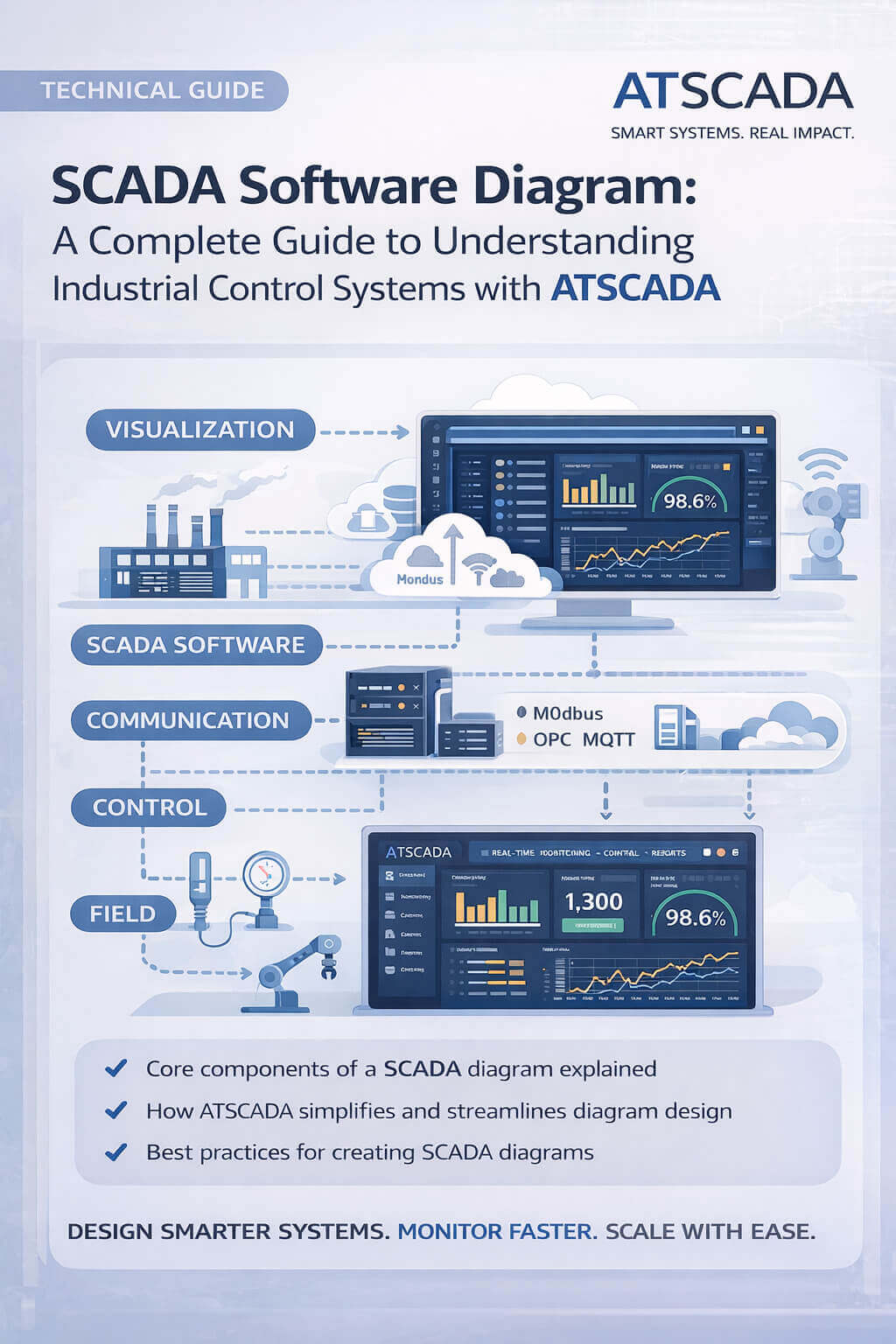
Core Components in a SCADA Software Diagram
Understanding each layer is key to building an effective system.
Field Layer (Devices & Sensors)
This is where real-world data originates.
Examples include:
- Temperature sensors
- Pressure transmitters
- Flow meters
These devices collect raw data from industrial processes.
Control Layer (PLCs & RTUs)
The control layer processes data and executes logic.
Key roles:
- Receive signals from sensors
- Execute automation logic
- Send commands to actuators
Communication protocols like Modbus, OPC, and MQTT are often used here.
Communication Layer
This layer connects everything together.
It includes:
- Industrial networks (Ethernet, RS485)
- IoT gateways
- Cloud connections
A strong communication layer ensures real-time data transmission.
SCADA Software Layer
This is where platforms like ATSCADA and modern SCADA computer software solutions come in.
Functions include:
- Data acquisition
- Real-time monitoring
- Alarm management
- Historical data storage
The scada software diagram typically highlights this layer as the system’s core.
Visualization Layer (HMI/Dashboard)
Operators interact with the system through dashboards.
Features:
- Graphs and charts
- System status indicators
- Control buttons
With ATSCADA, dashboards are designed to be intuitive and highly customizable.
Types of SCADA Software Diagrams
Not all diagrams are the same. Different use cases require different structures.
Block Diagram
A high-level overview showing system components and connections.
Best for:
- Presentations
- System planning
Network Architecture Diagram
Focuses on communication between devices.
Best for:
- IT/OT integration
- Cybersecurity planning
Process Flow Diagram
Represents how materials or data move through a system.
Best for:
- Manufacturing processes
- Water treatment systems
How ATSCADA Simplifies SCADA Software Diagrams
Traditional SCADA systems often require complex manual design. ATSCADA changes that.
Visual Configuration
Instead of coding everything manually, developers can:
- Drag and drop components
- Configure connections visually
- Map data points easily
This reduces development time significantly.
Built-in Protocol Support
ATSCADA supports multiple industrial protocols:
- Modbus TCP/RTU
- OPC UA
- MQTT
This allows seamless integration across devices, which is clearly reflected in the scada software diagram.
Scalable Architecture
A good diagram should grow with your system.
ATSCADA enables:
- Easy device expansion
- Cloud integration
- Multi-site deployment
Real-World Example of a SCADA Software Diagram
Let’s consider a smart factory system.
System Flow:
- Sensors collect machine data
- PLC processes signals
- Data is transmitted via MQTT
- ATSCADA server analyzes data
- Dashboard displays real-time insights
This entire workflow is represented in a scada software diagram, making it easier to manage and optimize.
Best Practices for Designing a SCADA Software Diagram
To create an effective diagram, follow these principles:
Keep It Clear and Structured
Avoid overcomplication. Use layers and labels to organize information.
Use Standard Symbols
Consistency improves readability across teams.
Design for Scalability
Plan for future expansion from the beginning.
Focus on Data Flow
A good scada software diagram clearly shows how data moves, not just components.
Align with Real Systems
Ensure your diagram reflects actual physical and logical architecture.
Common Mistakes to Avoid
Even experienced developers make these errors:
- Overloading diagrams with too much detail
- Ignoring communication protocols
- Not updating diagrams after system changes
- Poor labeling and documentation
Using ATSCADA helps reduce these issues through structured system design.
The Future of SCADA Software Diagrams
As industrial systems evolve, diagrams are becoming more dynamic.
Key trends include:
- Cloud-based SCADA visualization
- Digital twin integration
- AI-driven system optimization
- Edge computing architectures
ATSCADA is designed to support these advancements, ensuring diagrams remain relevant and actionable.
Conclusion
A scada software diagram is more than just a visual tool—it is the foundation of efficient industrial system design.
By clearly mapping out how devices, data, and control systems interact, developers can build smarter, more scalable solutions.
With platforms like ATSCADA, creating and managing these diagrams becomes faster, more intuitive, and aligned with modern Industry 4.0 requirements.
Whether you are designing a new system or optimizing an existing one, mastering SCADA software diagrams is essential for success.

ATSCADA - Smart SCADA Software with AI Predictor & Blockchain. ATSCADA is an advanced SCADA software platform for real-time monitoring, intelligent control, and efficient data acquisition. It is ideal for Industrial IoT (IIoT), smart cities, integrated automation systems, and Agriculture 4.0. With a built-in AI Predictor, ATSCADA enables predictive analytics to detect issues early, optimize performance, and reduce downtime. The integration of Blockchain technology ensures secure, transparent, and tamper-proof data management. Highly scalable and easy to integrate, ATSCADA is trusted by businesses to enhance productivity, strengthen cybersecurity, and accelerate digital transformation.
Related articles
Utility SCADA Systems for Power, Water, and Infrastructure Management
In today’s rapidly evolving industrial landscape, Utility SCADA Systems play a critical role in managing [...]
Apr
Cost of a SCADA System: Complete Pricing Guide
Understanding the Cost of a SCADA System is essential for businesses planning to implement or [...]
Apr
SCADA Software Price: Complete Cost Guide for Industrial Systems
Understanding SCADA software price is essential for any organization planning to implement or upgrade industrial [...]
Apr
Cheap SCADA Software for Small and Medium Businesses
In today’s competitive industrial landscape, small and medium businesses (SMBs) are under constant pressure to [...]
Apr
Low Cost SCADA Solutions for Efficient Industrial Automation
In today’s competitive industrial landscape, companies are under constant pressure to improve efficiency while minimizing [...]
Apr
Ignition SCADA and AI: Integrating Intelligent Automation into Modern SCADA Systems
In modern industrial environments, Ignition SCADA and AI are increasingly combined to move beyond traditional [...]
Apr