
SCADA Software
Vijeo Citect: SCADA Design Software for Industrial Automation
Designing an industrial monitoring system requires not only powerful software but also a clear deployment and installation process. Vijeo Citect is widely recognized as a professional SCADA design software,similar to solutions available in SCADA software platforms used in industrial automation. That supports both system development and practical implementation.
In addition to its flexible architecture, Vijeo Citect provides a structured installation and configuration workflow. As a result, engineers can quickly deploy SCADA systems while maintaining reliability and scalability.
What Is Vijeo Citect?
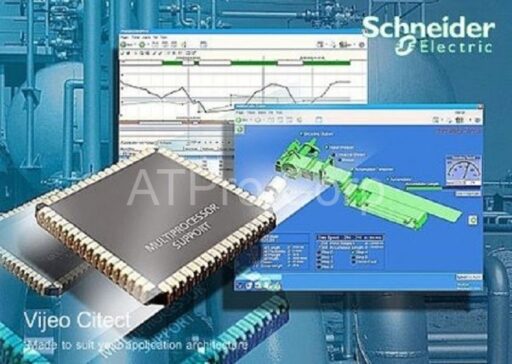
Vijeo Citect is a SCADA design software used to develop industrial automation systems. It allows users to create monitoring interfaces, manage data, and control industrial processes in real time.
Moreover, the software is designed to support:
- Flexible system configuration
- Scalable architecture for expansion
- Stable runtime operation
Therefore, it is suitable for both small-scale and large industrial applications.
Key Features of Vijeo Citect
Flexible SCADA System Design
Vijeo Citect enables engineers to design systems based on specific project requirements. Instead of fixed configurations, users can customize system components freely.
As a result, the system can adapt to different industrial environments.
Runtime Manager and Process Control
One important component is the Runtime Manager, which controls system execution.
It can:
- Start and stop SCADA processes
- Monitor system status
- Automatically restart failed services
Therefore, system reliability is significantly improved.
Integration with Industrial Devices
The software supports communication with:
- PLC systems
- HMI interfaces
- OPC servers
In addition, it ensures smooth data exchange between devices and the SCADA system, especially when integrated with modern SCADA web server solutions for remote monitoring.
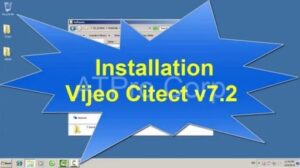
Vijeo Citect Installation and Setup Process
A key part of using Vijeo Citect is understanding how to properly install and configure the system. The process is designed to be structured and user-friendly.
Step 1: Software Installation
First, users install Vijeo Citect using the setup package. The installation wizard guides users through:
- Selecting system components
- Configuring installation paths
- Setting up required services
As a result, the software environment is prepared for SCADA development,similar to a real-time SCADA visualization system
Step 2: System Configuration
After installation, users configure the system based on project requirements.
This includes:
- Defining communication drivers
- Connecting to PLCs and devices
- Setting up databases and tags
Therefore, the SCADA system becomes ready for real-time operation.
Step 3: Runtime Setup
Next, the Runtime Manager is configured to control system processes.
Users can:
- Enable automatic startup
- Monitor system performance
- Manage alarms and notifications
As a result, the system operates smoothly during execution.
Step 4: Testing and Deployment
Finally, the system is tested to ensure proper functionality.
Engineers verify:
- Data communication with devices
- Alarm and notification systems
- System performance under real conditions
Once testing is complete, the system can be deployed in the industrial environment.
Benefits of Using Vijeo Citect
Easy Deployment
With a structured installation process, Vijeo Citect allows quick system deployment. Therefore, engineers can reduce setup time.
High Reliability
The combination of runtime management and system monitoring ensures stable operation.
Scalability
Users can expand the system by adding devices or upgrading infrastructure without redesigning the entire system.
Efficient Monitoring and Control
Real-time data visualization and alarm systems help operators respond quickly to using a SCADA monitoring solution.
Applications in Industrial Systems
Vijeo Citect is used in various industries, including manufacturing automation, energy management systems, and wastewater SCADA control systems, as well as building management systems.
- Manufacturing automation
- Energy management systems
- Water treatment plants
- Building management systems
These applications require reliable SCADA design and stable system operation.
Best Practices for Installation and Use
To achieve optimal performance, engineers should also leverage SCADA training resources to better understand system configuration and deployment:
- Follow the correct installation steps
- Ensure proper device configuration
- Regularly monitor system performance
- Maintain system backups
In addition, proper testing before deployment is essential to avoid operational issues.
Conclusion
Vijeo Citect is not only a powerful SCADA design software but also a practical solution for real-world industrial deployment. With its structured installation process, flexible configuration, and reliable runtime performance, it supports efficient system development and operation.
For industries seeking a complete SCADA solution, Vijeo Citect provides both design capabilities and practical implementation tools.

ATSCADA - Smart SCADA Software with AI Predictor & Blockchain. ATSCADA is an advanced SCADA software platform for real-time monitoring, intelligent control, and efficient data acquisition. It is ideal for Industrial IoT (IIoT), smart cities, integrated automation systems, and Agriculture 4.0. With a built-in AI Predictor, ATSCADA enables predictive analytics to detect issues early, optimize performance, and reduce downtime. The integration of Blockchain technology ensures secure, transparent, and tamper-proof data management. Highly scalable and easy to integrate, ATSCADA is trusted by businesses to enhance productivity, strengthen cybersecurity, and accelerate digital transformation.
Related articles
ATSCADA iStreamCameraTools – Industrial IP Camera Integration and Real-Time Video Monitoring
The iStreamCameraTools toolkit enables the connection of ONVIF-compatible cameras to receive camera streams and display [...]
Jun
OPC Server Connection Guide
Overview The ATSCADA ecosystem provides exceptional flexibility for integrating data from third-party OPC Servers (such [...]
Jun
Common ATSCADA Errors and How to Fix Them – FAQ for ATSCADA Tools and Systems
Issues Related to ATDriverServer & iTagBuilder Software Why Does ATDriverServer Not Open? There are two [...]
May
ATSCADA Hospital Temperature and Humidity Monitoring Alarm System Project
Requirements: The system includes three monitoring areas: the pharmacy, inpatient warehouse, and cold storage, following [...]
May
ATSCADA CookBook: Complete Guide to System Architecture, Tools, Installation & Troubleshooting
The ATSCADA Training book is an essential navigation structure that helps users access all major [...]
Apr
ATSCADA Power Management System
Requirements: There are 3 areas that require power management, including a factory, a residential zone, [...]
Apr